Your day4h 20m focused
3 sessions2 summits reached
The AI coach is now free. Five messages a day, no key and no signup needed. What's new
Get OnTrack. Stay OnTrack.
Focus app for Windows, Mac and the web Windows is new
OnTrack picks one task, starts a clock, and guards that block. When starting is the hard part, it has tools for that too. There is nothing to sign up for, on any version.
Not a tour, not a mockup, not a video, and not a countdown. The real app in a browser tab, free with a few limits, for as long as it is useful to you. Nothing to download.
Open the free versionOpens in a new tab · no card, no email, no time limit
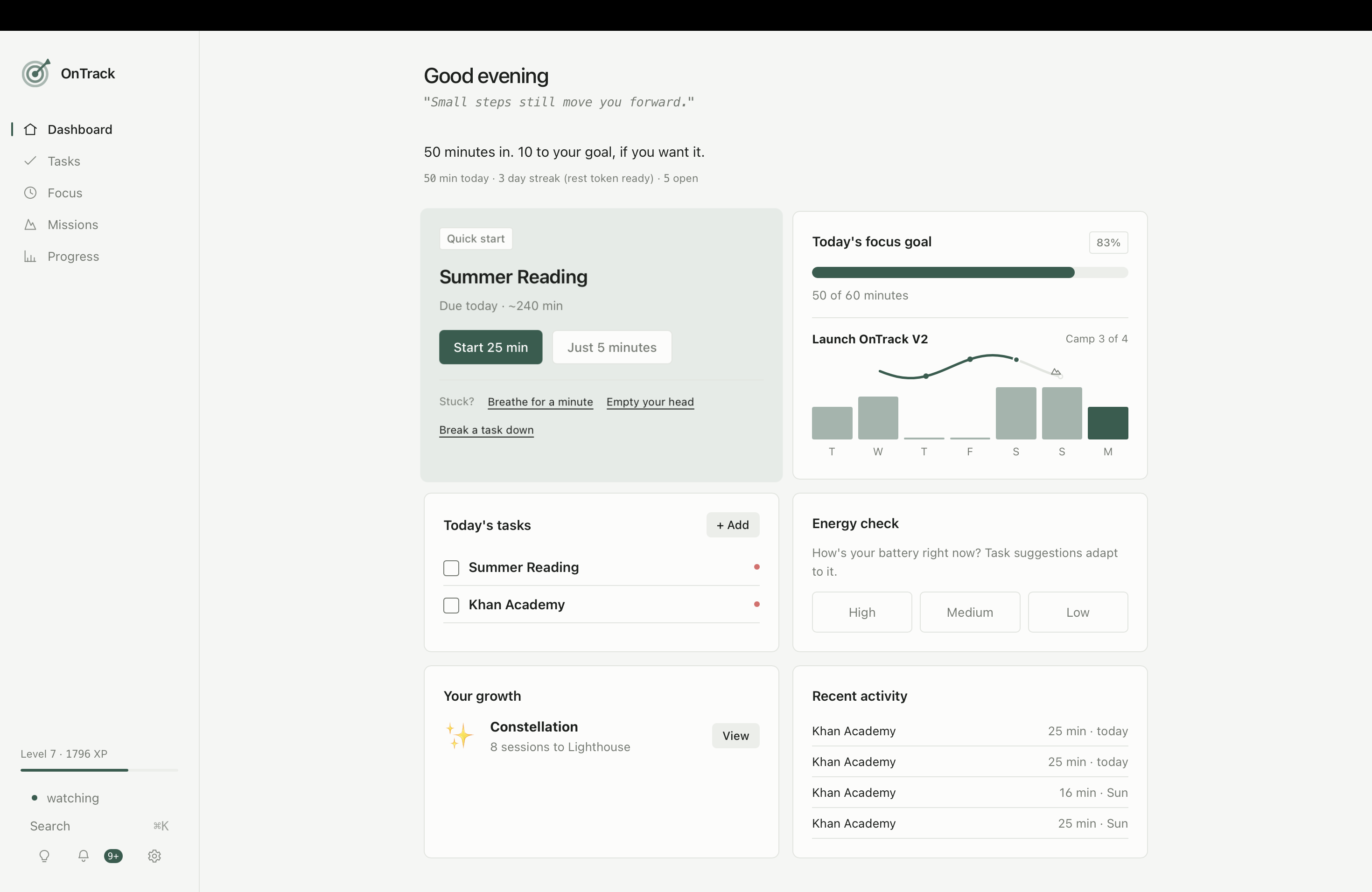 Screenshot · Dashboard
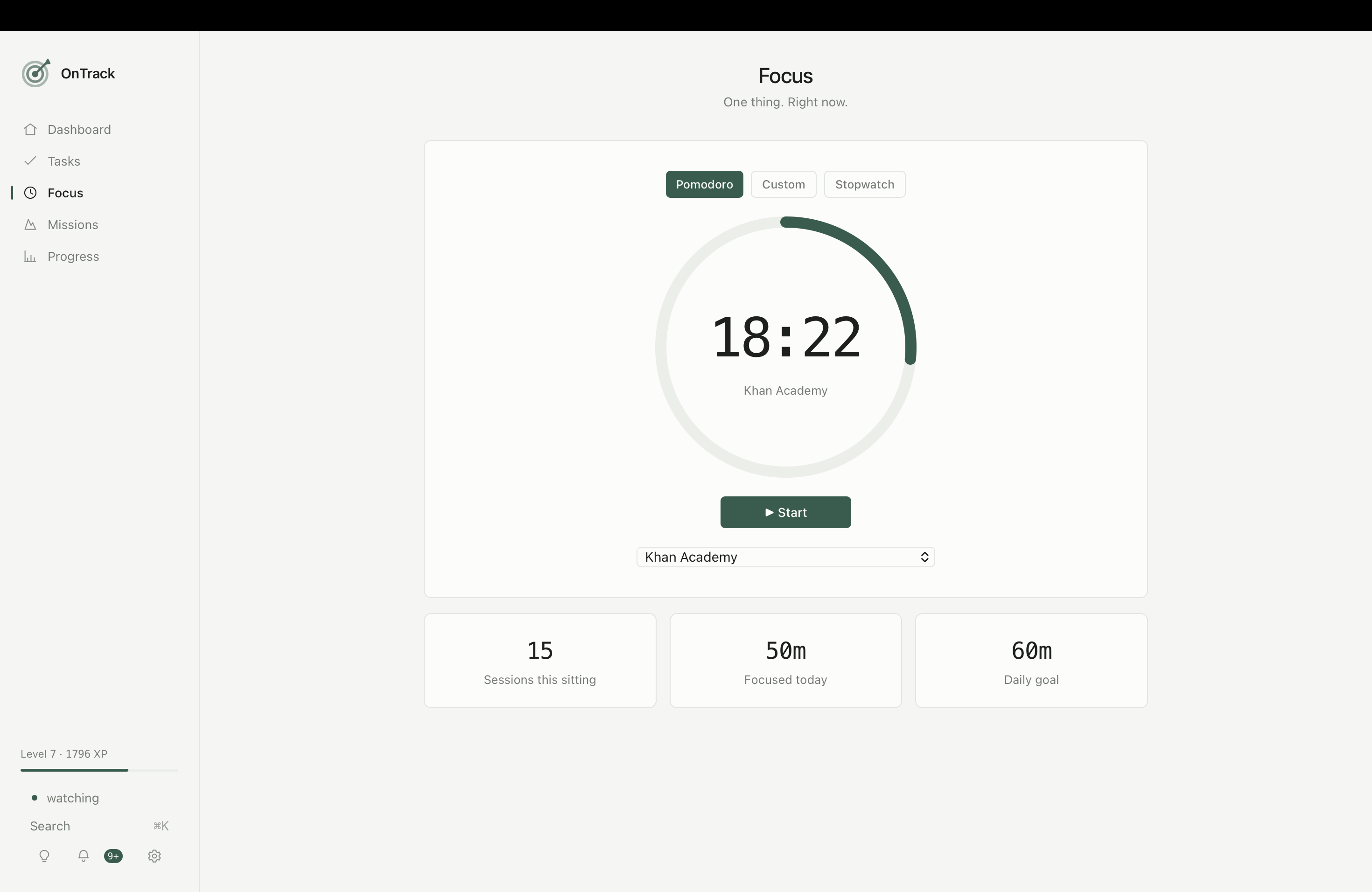 Screenshot · Focus
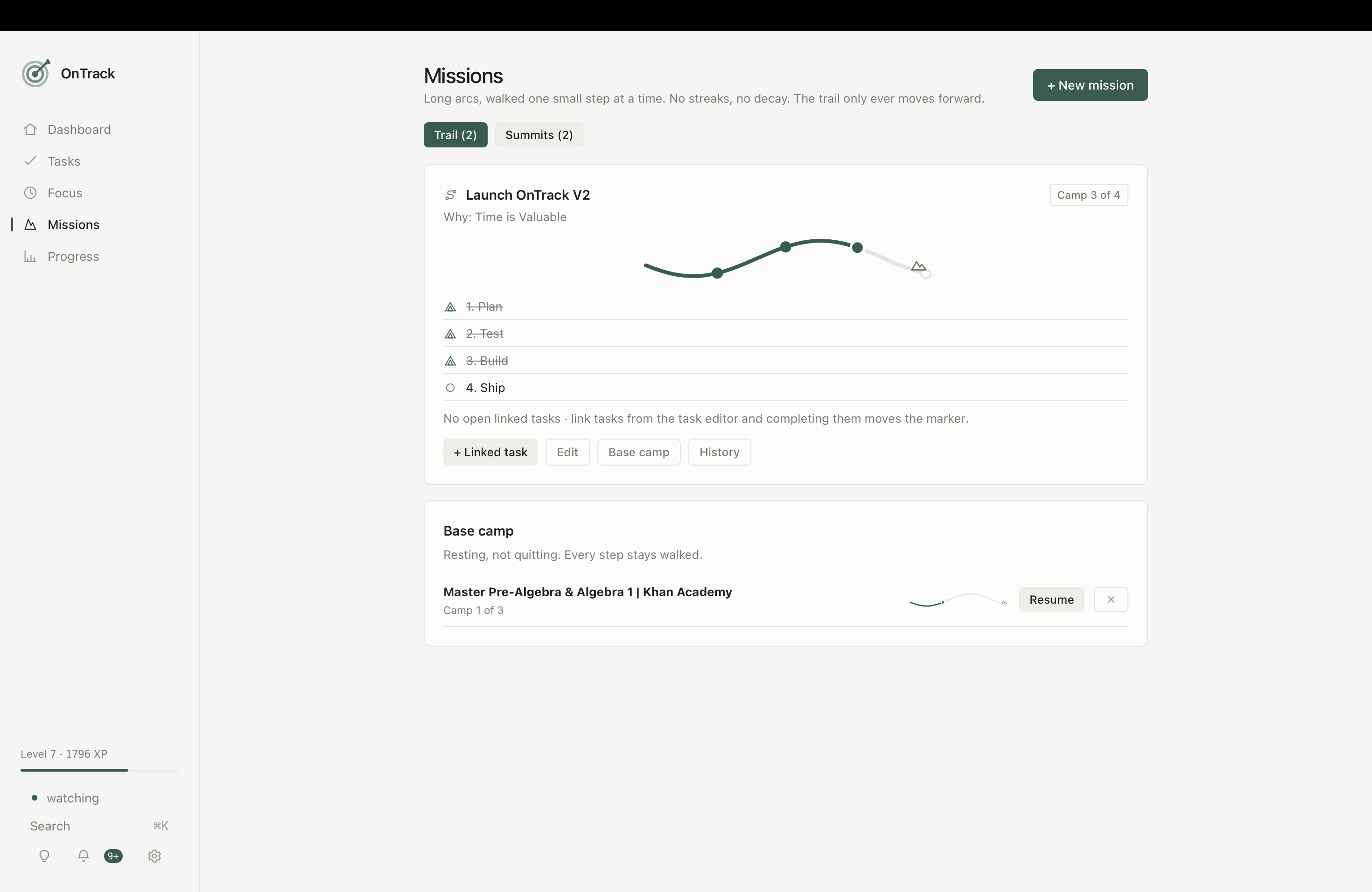 Screenshot · Missions
Every feature is in the $4 version. There is no pro tier.
Link everyday tasks to a goal and the trail moves forward while you just do your day. Finished ones move to Summits and stay there.
Pomodoro, custom, or open stopwatch. Sessions attach to the task they belong to, so the time counts toward something.
Anything heavy splits into tiny steps. Priorities, due dates, and repeats that come back on the right day.
Break it down, a five minute start, a brain dump, or guided breathing. Six ways back in when nothing is working.
Meds, water, stand up. Quiet hours at night, and nudges that pause while you're away instead of piling up.
Streaks, growth stages, 74 achievements, and a short letter every Monday about the week behind you.
You get one token a week. If a day goes by empty, it spends itself and that day counts as rest. You can't forget to use it.
Never a scoreboard and never a comparison. It names what you finished, notices the low day you showed up anyway, and stops.
Five messages a day, on a key I pay for, with nothing to sign up for and nothing to paste in. It reads your tasks, missions and energy, and can set things up for you with your approval on every change. With OnTrack you can add your own free key to remove the daily limit entirely.
OnTrack now runs on Windows 10 and 11 as a real app, alongside Mac and the web. Same one payment covers all three.
The old seven minute preview is gone. The browser version is now free to use for as long as you like, with limits you can see rather than a countdown.
The free version is not a trial. It does not expire and it does not lock what you already made. It is just smaller.
In your browser, forever
Nothing expires. Everything you make stays yours even if you never pay.
Windows, Mac and web
One payment, no renewal. Install on every machine you own, and keep it even if you stop using it.
OnTrack, full version
Cheaper than the coffee you were going to buy instead of starting.
Get OnTrack for $4Secure checkout on Gumroad.
Why four dollars
I built OnTrack because I needed it, and I could not find a focus app that was not a subscription with an account attached. Four dollars is enough that it is worth maintaining, and low enough that nobody has to think about it.
There is no company behind this. It is one person, and the email in your receipt goes straight to me.
A focus app you never open is worth nothing, and a high price makes people shop around instead of starting. One payment, no renewal. If it helps, tell someone.
Yes, for as long as you want. The free version runs in your browser with no signup and no countdown. It holds five open tasks, one mission and two reminders, which is enough to run a real day. Whatever you set up stays saved in that browser.
No. Buy, download, open it. Your tasks and history live on your machine and nowhere else, and it all works with the wifi off. The only thing that ever leaves is a feedback message, and only if you write one and press send.
Nothing at all to start with. Five messages a day are included free, on a key I pay for, so you can just open the coach and talk to it. With OnTrack you can paste in your own free key from Groq or OpenRouter, which removes the daily limit and sends your requests straight to the provider instead of through me. Two minutes, no credit card, and everything else in the app works the same either way.
Windows 10 and 11, and macOS 11 or later on Apple silicon or Intel. One payment covers all of them, so you can install on every machine you use. If you would rather not install anything, the web version does the same job in a browser tab.
Yes. Reply to your Gumroad receipt within 30 days. No explanation needed. Full policy.
No. OnTrack is built with ADHD-friendly design principles, but it is a productivity app, not treatment or medical advice.